
Real editor, not a textarea
Ace Editor with CSS syntax highlighting, a Nord dark theme, and lightweight lint feedback so typos surface before you apply them.
v1.3.5 Chrome · Manifest V3 · Free
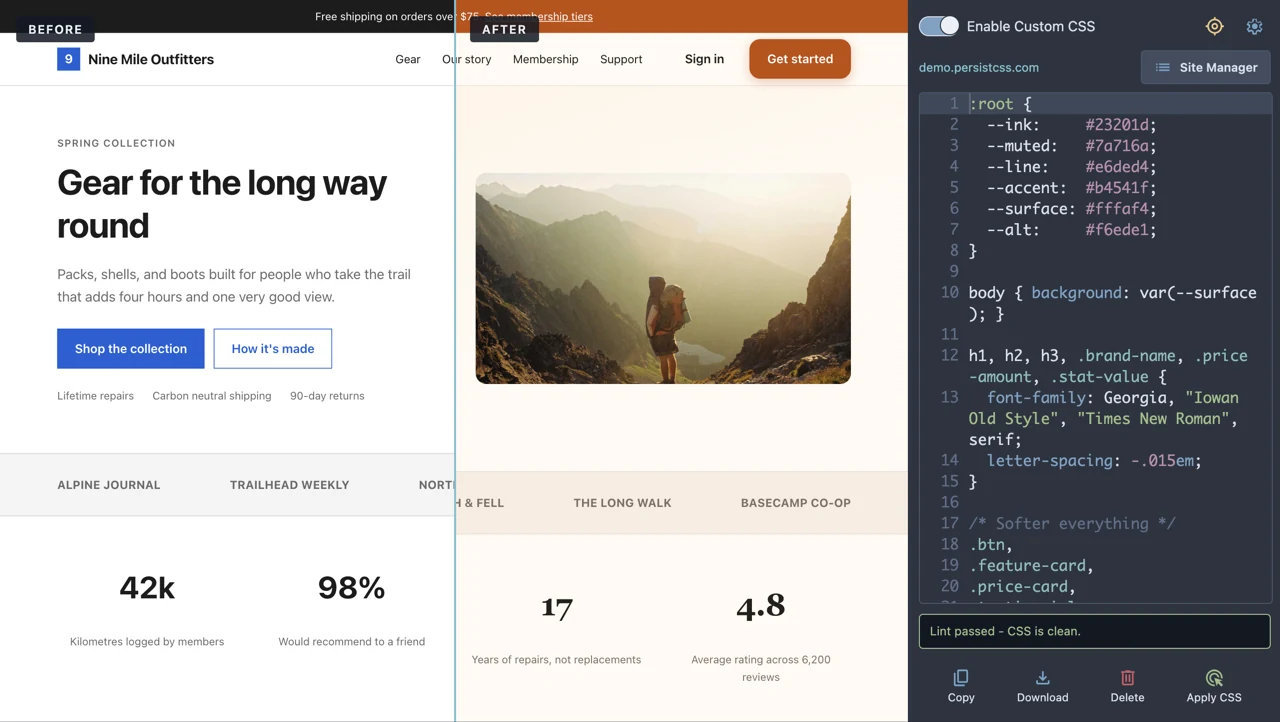
PersistCSS™ puts a real CSS editor in Chrome's side panel, built for developers, designers, and QA testers. Prototype changes, debug layouts, and save per-site CSS that comes back every time you visit.
Everything you would try in DevTools, except it is still there tomorrow.
Ace Editor with CSS syntax highlighting, a Nord dark theme, and lightweight lint feedback so typos surface before you apply them.
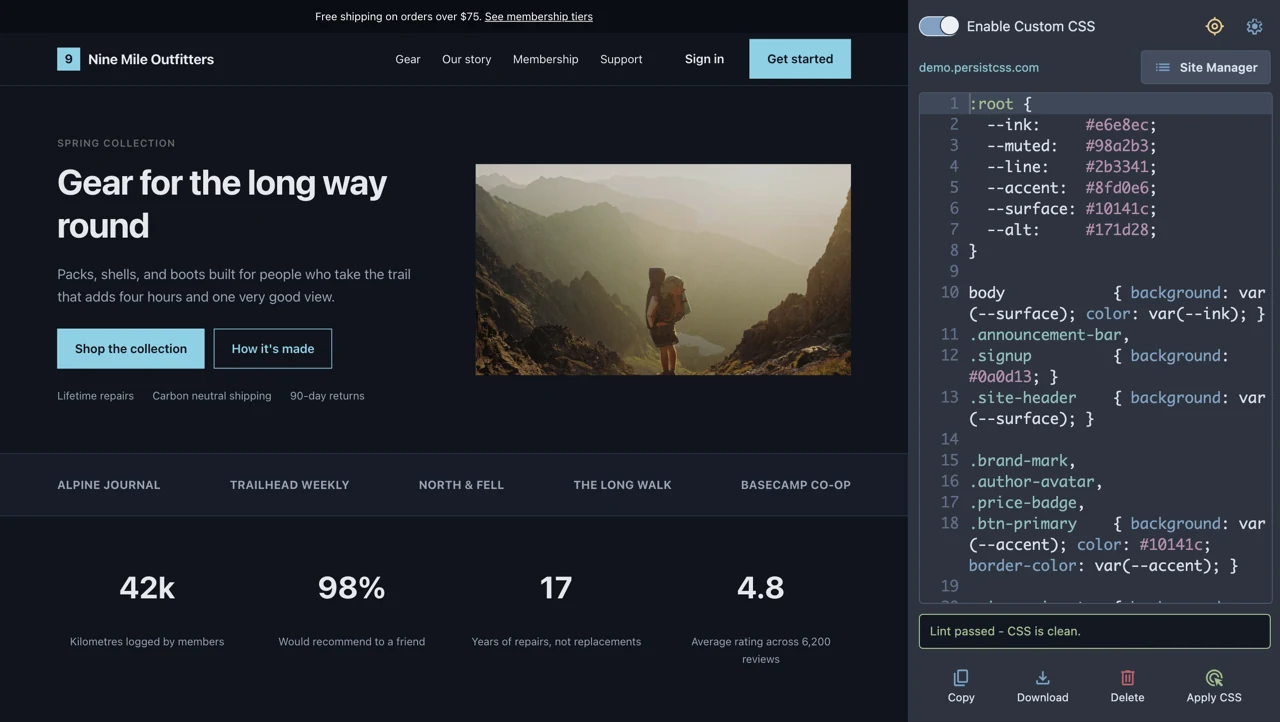
Save styles against a domain and they re-apply automatically on every page load, early enough to reduce the flash of unstyled content.
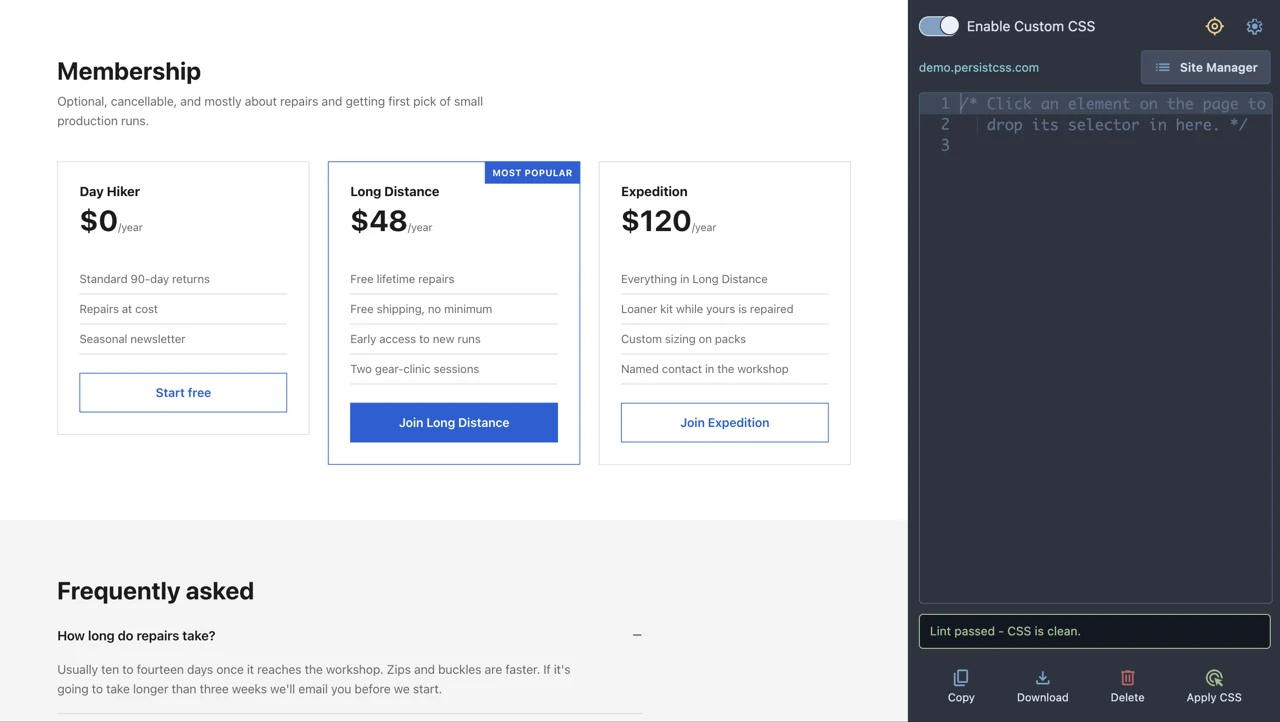
Point at anything on the page and PersistCSS works out the shortest selector that uniquely matches it, then drops it into the editor. Handy when a build step has hashed every class name.
Turn it on and valid CSS applies as you type. Turn it off and a pending-changes hint tells you exactly when your edits are out of sync.
Search every domain you've customized. Open, edit, enable, disable, or delete. An in-row confirm means nothing disappears by accident.
Fighting a stubborn stylesheet? One toggle rewrites your declarations with !important using the browser's own CSS parser.
Edits push to every open tab of a site, not just the one in front of you. Multi-window comparisons stay in step.
A Nord theme meeting WCAG AA contrast guidelines, visible keyboard focus indicators, and a screen-reader-friendly panel structure.
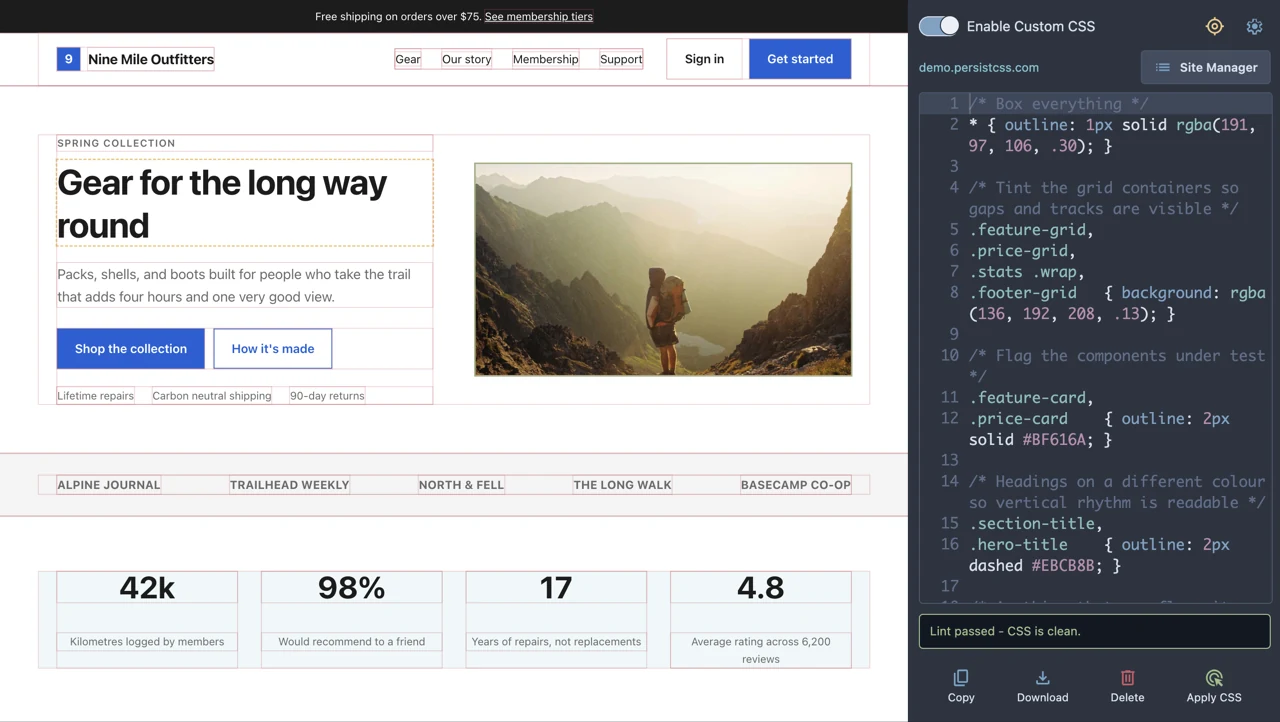
Test responsive tweaks, visual fixes, layout ideas, and accessibility improvements directly on the page.

No accounts, no config files, no build step.
Click the PersistCSS icon in your toolbar. The panel opens beside the page, so your CSS and the site you're styling stay visible at the same time.
Type it, or use the element picker to grab a selector. The editor lints as you go and tells you when something won't parse.
Click Apply CSS. It's saved against that domain and re-applied on every future visit until you disable or delete it.
PersistCSS has no account, no cloud, and nothing to sync, by design. Your saved CSS stays in Chrome's local storage on your machine, so there is no server it could leak from and nothing to sign up for.
A quick add from the Chrome Web Store. No account, no setup.
Requires
Chrome 114 or later on desktop, for side panel support.
Costs
Nothing. Every feature is free and ungated, with no Pro tier. Donations are optional and help development continue.
PersistCSS exists because I wanted a better way to work with CSS on live sites. If it’s helping you explore, test, and build faster too, a coffee helps me keep improving it.
Buy me a coffee Something not working? Report a problem.
No account needed, and an email address is optional.